HubSpot App

See the whole account.
Act on what matters.

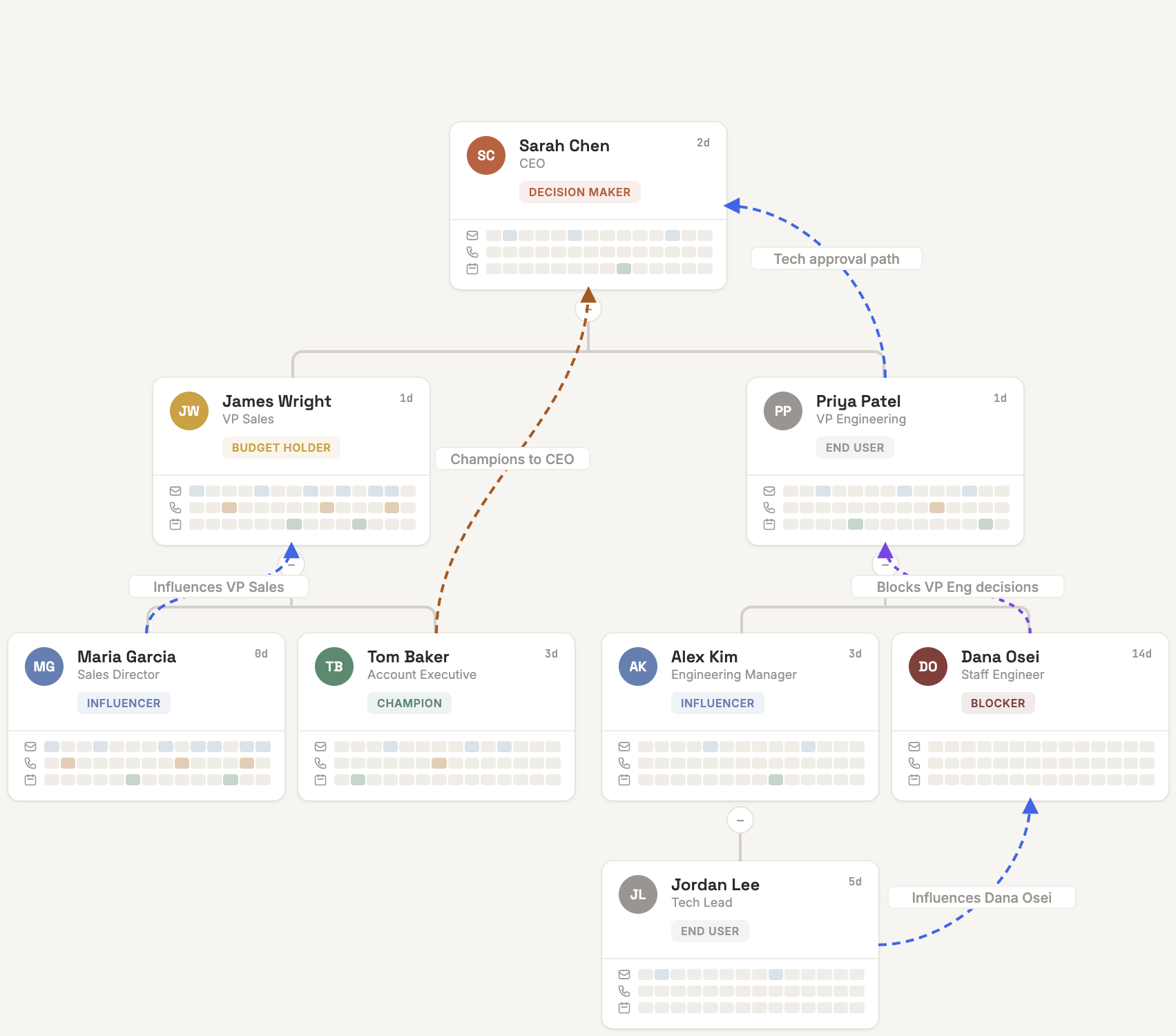
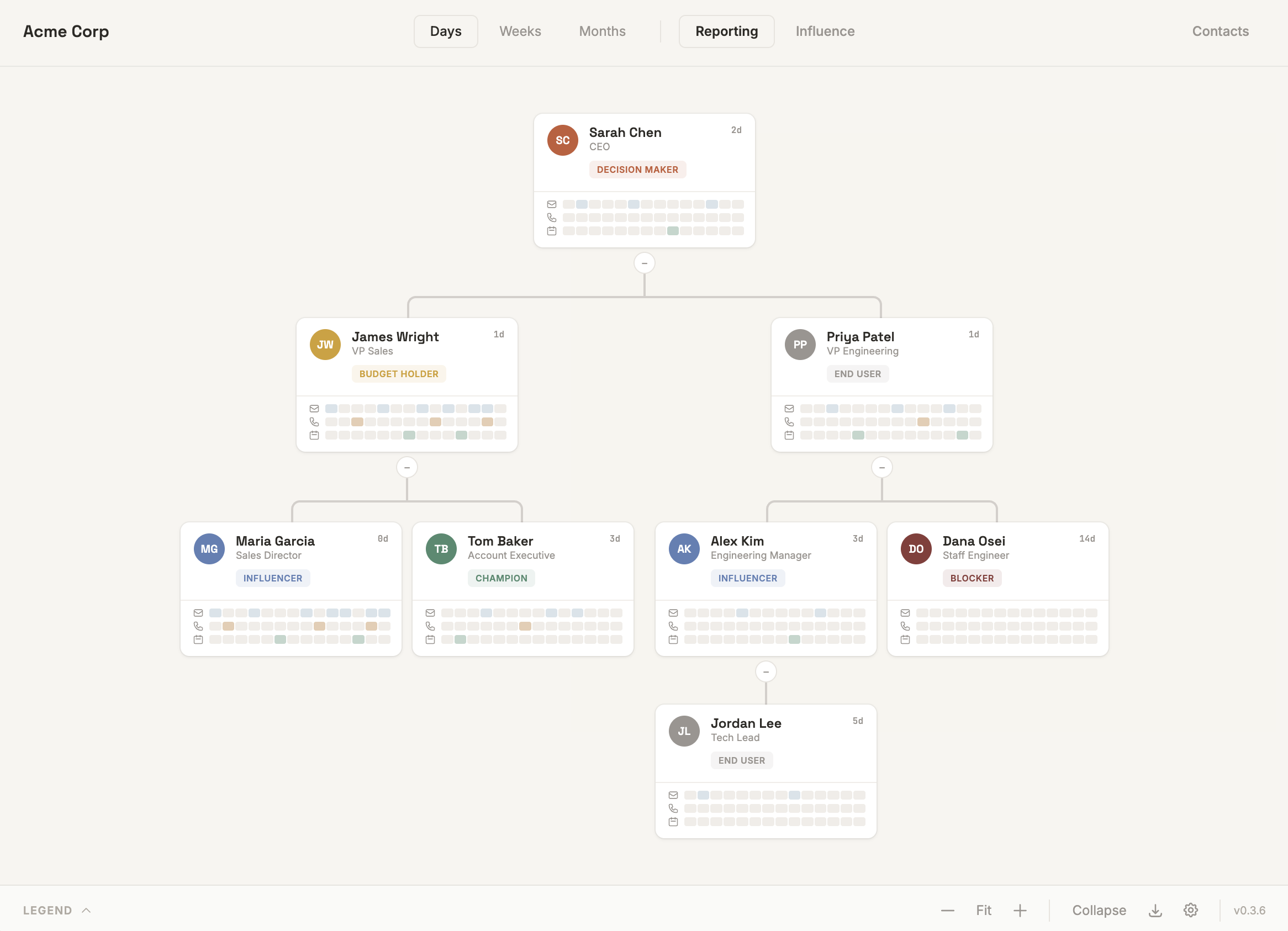
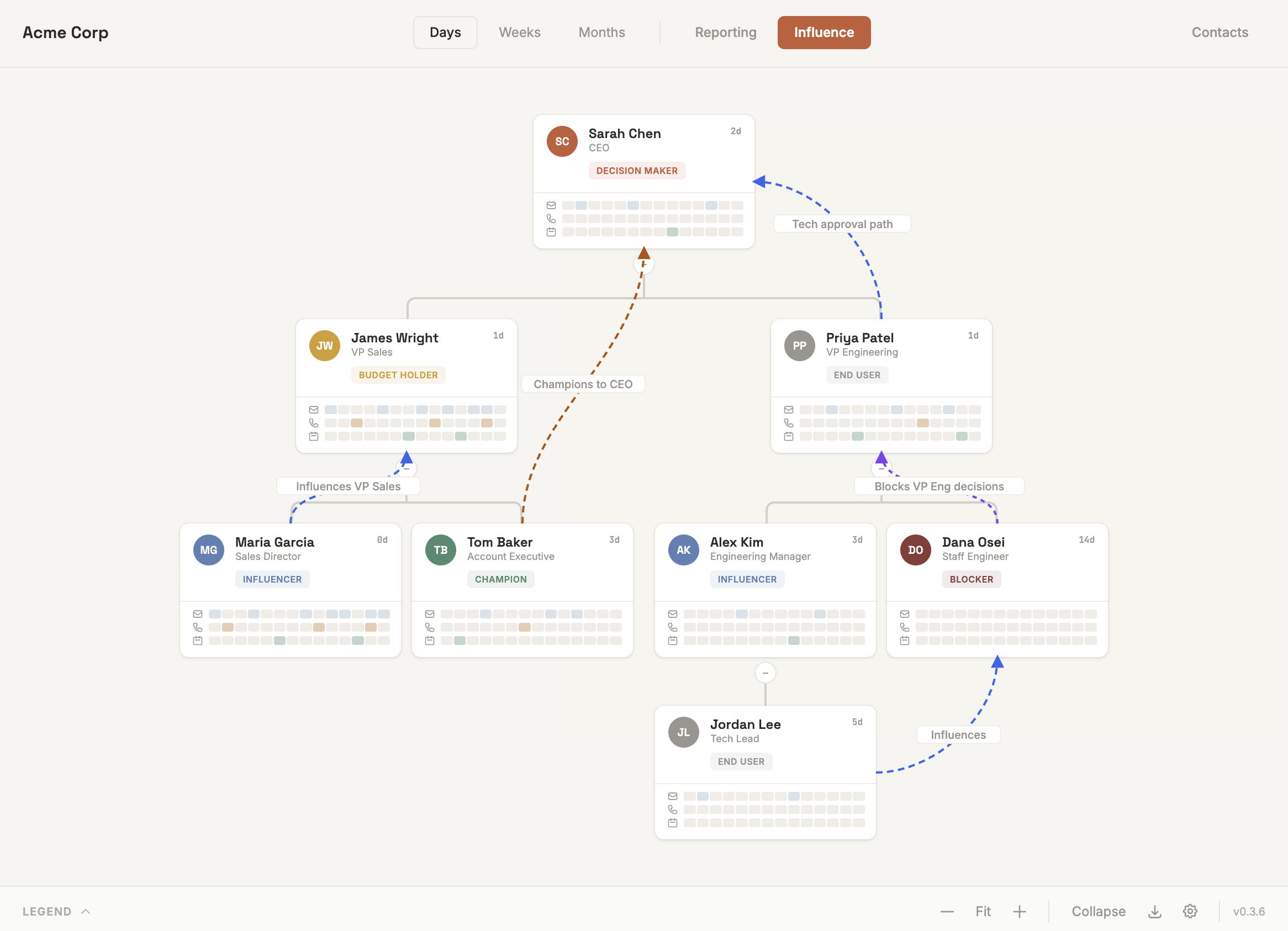
Account Map visualizes org charts, buying roles, engagement activity, and influence connections — right on your HubSpot company records.

Full app screenshot — coming soon

Map your accounts, close more deals

Account Map is a HubSpot app that gives sales leaders, account managers, and revenue teams a visual map of every company they're working. It lives as a tab on company record pages — no context switching, no separate tool.

Add contacts to the chart and the hierarchy auto-builds from job titles. Assign buying roles, track engagement across emails, calls and meetings, and surface deal readiness gaps — all in one view.

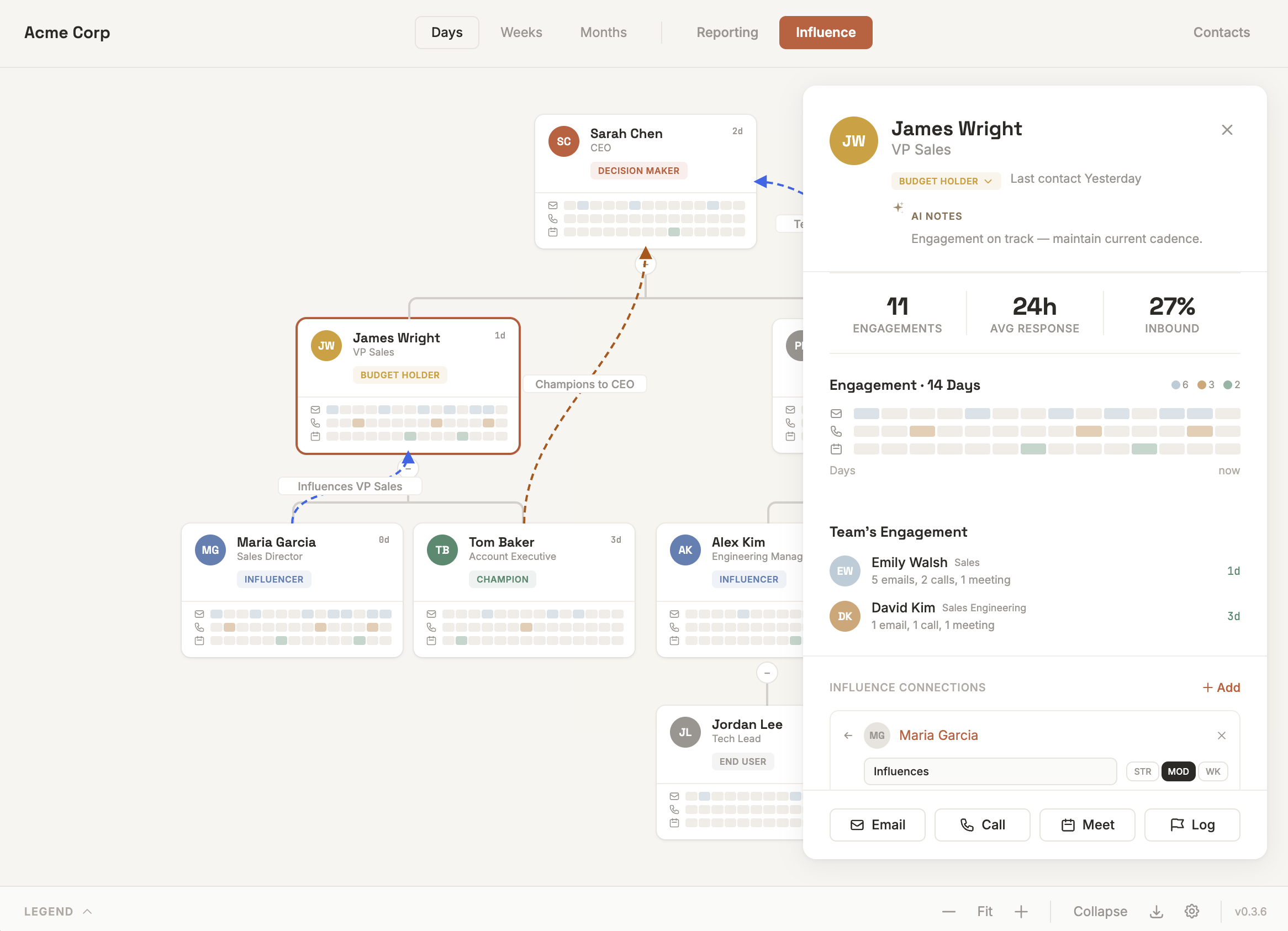
Click any contact for a deep-dive into their engagement history, communication cadence, team interactions, and influence connections. Export the chart for deal reviews or executive briefings.
6
Buying Roles
3
Channels Tracked
3
Time Views
7
Readiness Checks

Everything you need to map an account

From auto-building the org chart to surfacing deal-blocking gaps, Account Map gives your team a shared picture of every account.

Deal Readiness Tracker

A 7-point checklist scored from your actual account map and real engagement activity. Surfaces the specific gaps blocking deals from closing — Champion identified, Decision Maker mapped, Budget Holder engaged, multi-threaded, Executive Sponsor, Blocker flagged, and C-suite meeting in the last 14 days. Progress bar with live percentage score.

Deal Readiness 93%
Champion identified
Decision Maker mapped
Budget Holder engaged
Multi-threaded (4+ active)
Executive Sponsor mapped
Blocker — flagged
C-suite meeting (14d)

Auto-Build Org Chart

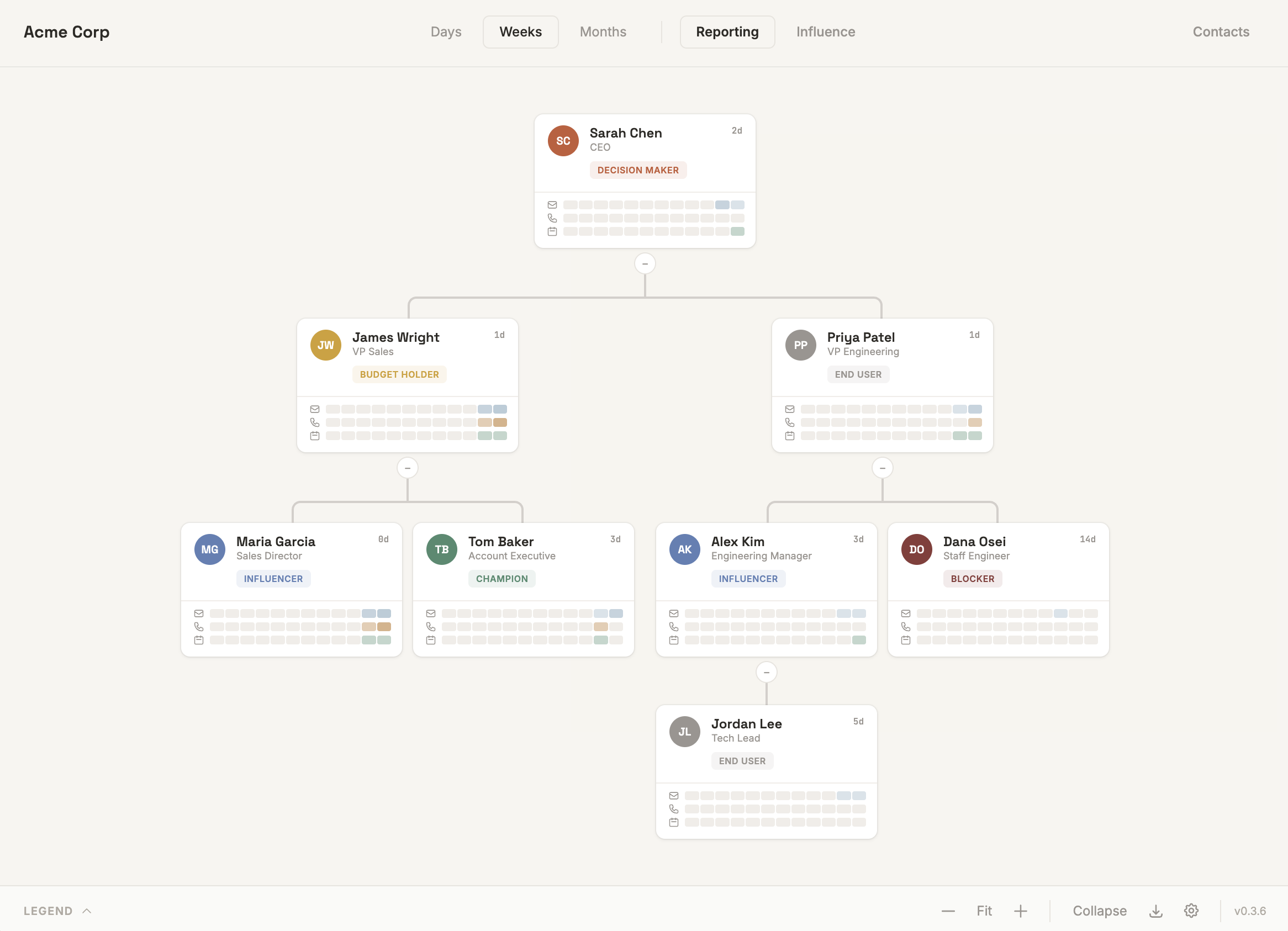
Add a group of contacts and the chart auto-constructs the hierarchy from job titles and seniority. Add contacts one at a time and each is assigned to their logical manager. No manual wiring needed to get started.

Interactive Org Chart

Drag and drop contacts to reassign reporting relationships. Collapse and expand branches, zoom and pan the canvas, and navigate complex hierarchies with ease.

Buying Role Classification

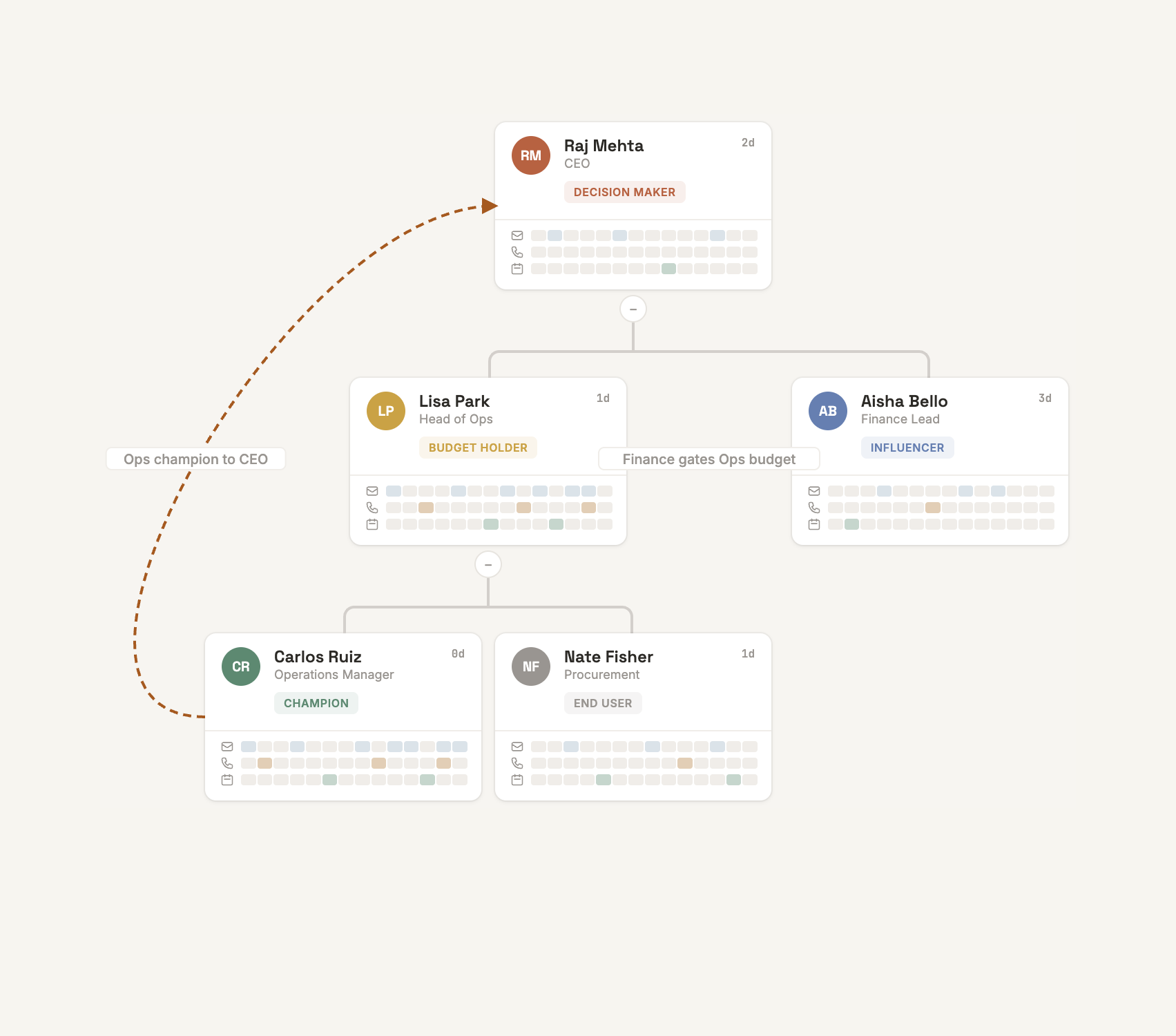
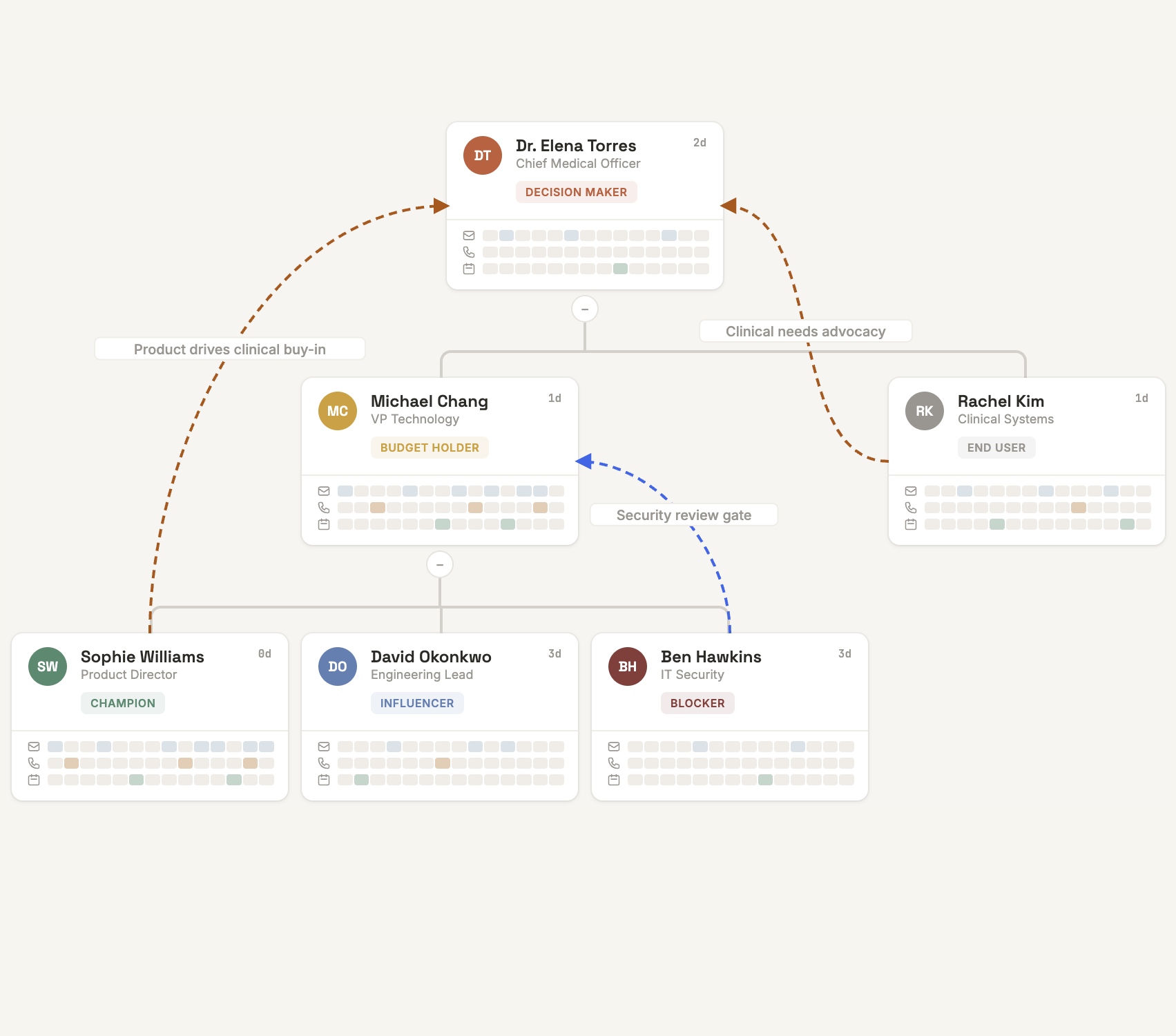
Assign one of 6 roles to each contact: Decision Maker, Budget Holder, Champion, Influencer, End User, or Blocker. Color-coded badges on every node. Changes persist back to HubSpot.

Engagement Activity Heatmap

Per-contact heatmap grids showing emails, calls, and meetings over configurable time windows — 14 days, 12 weeks, or 6 months. See at a glance who's active and who's gone silent.

Account Health Score

Composite metric combining role coverage, engagement %, recency, and multi-threading depth. Trend indicator shows direction vs. prior period. Stakeholder count and org levels at a glance.

Influence Mapping

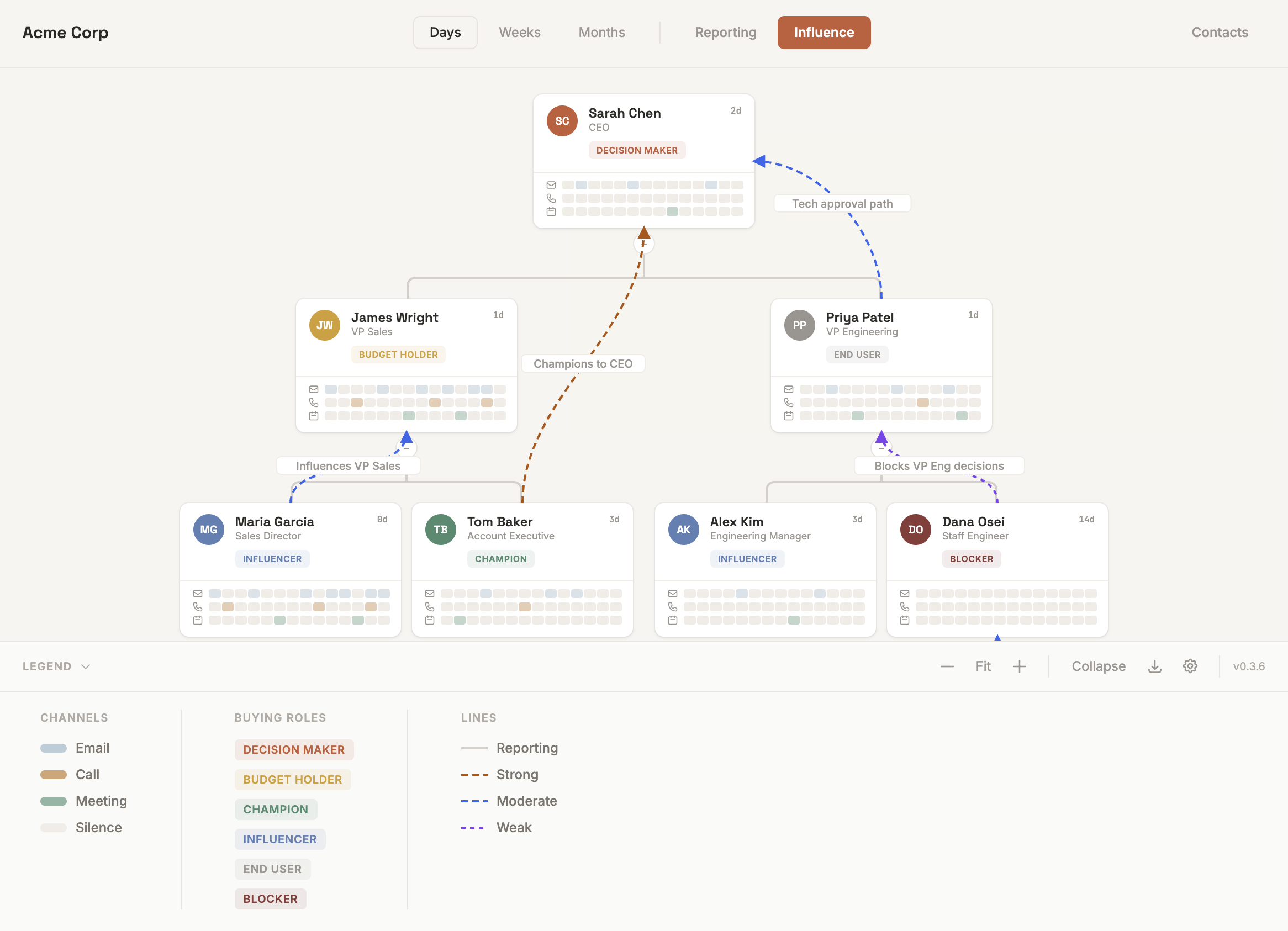
Draw informal influence lines between contacts — strong, moderate, or weak. Overlay on the org chart to see who influences whom beyond the formal hierarchy.

Detail Panel

Click any contact for a deep-dive: engagement grid, team engagement breakdown, adoption persona, communication cadence, smart alerts, and quick actions.

🔍

Contact Sidebar

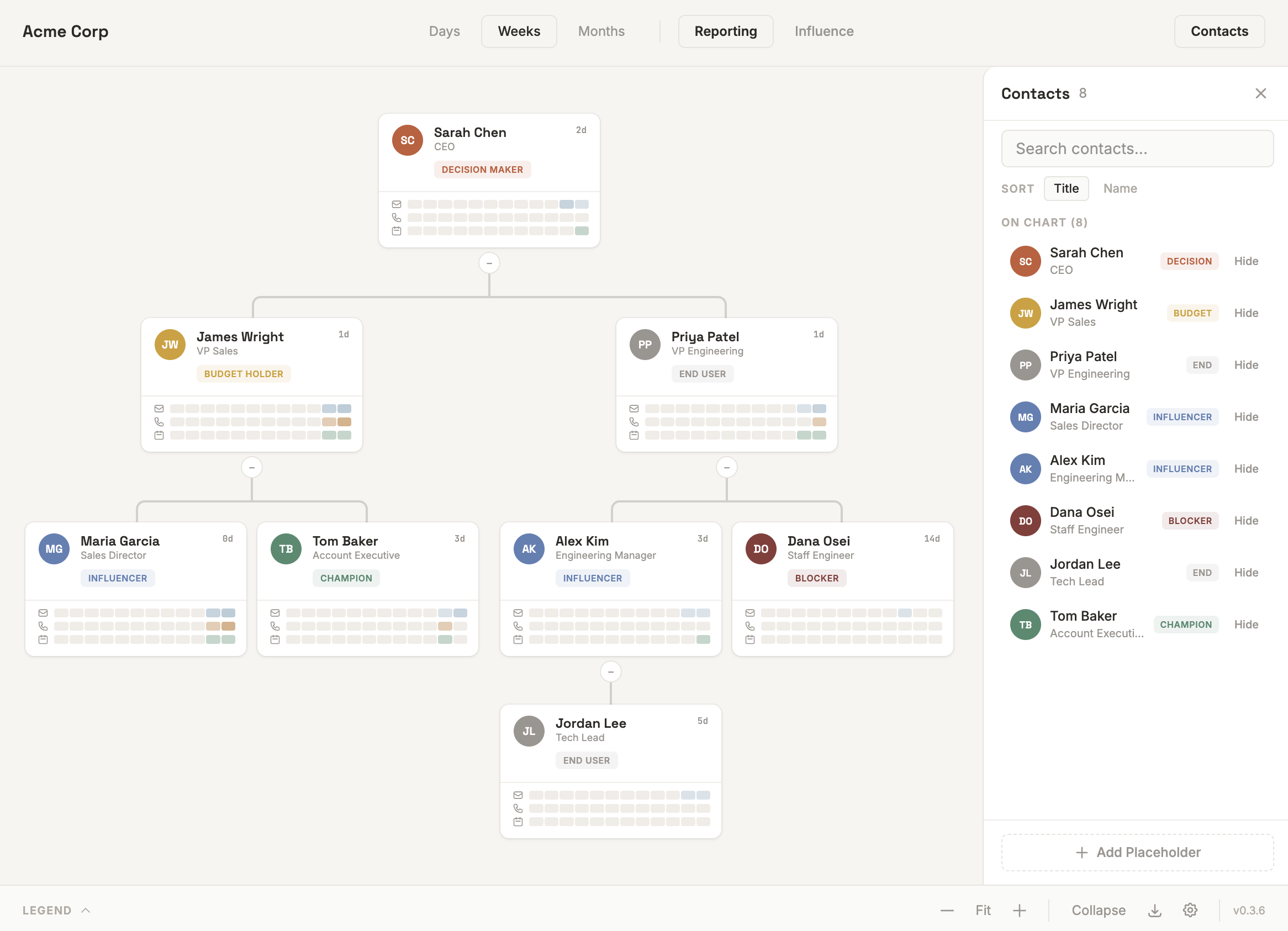
Search, sort, and manage all associated contacts. Add or remove from the chart. Create placeholder contacts for roles you know exist but haven't identified yet.

See it in action

Account Map runs directly inside HubSpot CRM. The summary card lives on company records; the full interactive map opens in a modal.

📊 CRM Card — Activity Tab
Account health, deal readiness checklist, and activity summary on the company record
👥 CRM Card — People Tab
Top engaged contacts and stakeholders needing outreach
🗒 Full Org Chart
Interactive org chart with buying roles, engagement heatmaps, and hierarchy
📋 Detail Panel
Per-contact deep-dive with engagement stats, team activity, and smart alerts

How it works

1

Install

Install Account Map and authorize via OAuth. No API keys to manage — HubSpot handles authentication securely.

2

Navigate

Open any company record in HubSpot CRM. Find the Account Map tab on the record page alongside your existing tabs.

3

Visualize

Click "View Account Map" to open the full interactive org chart with engagement data, buying roles, and influence connections.

Data & Privacy

Account Map is designed with data security as a first principle. Here's exactly what it does and doesn't do with your data.

🔒

No Data Leaves Your HubSpot Account

All CRM data stays within HubSpot. The app reads contacts, companies, and engagement records via HubSpot's official API and renders them in the browser. No CRM data is copied to external databases, third-party services, or analytics platforms.

📝

Read/Write Standard CRM Properties Only

The app works with standard HubSpot properties (name, email, job title, buying role). Only 2 custom contact properties are created: reports_to (text field for hierarchy) and influence_connections (JSON field for influence relationships). Both are visible in your HubSpot property settings.

Backend is a Stateless Proxy

The backend (hosted on Vercel) is a thin authenticated proxy. It receives requests from the HubSpot extension, resolves the portal's OAuth token, forwards the request to HubSpot's API, and returns the response. It does not store, cache, or log any CRM data.

🔑

OAuth Authentication

Authentication uses HubSpot's standard OAuth 2.0 flow. No API keys are shared or stored by the customer. You authorize via HubSpot's own consent screen, and you can revoke access at any time from your HubSpot Connected Apps settings.

🔐

Token Storage: Encrypted Redis

OAuth tokens are stored in Upstash Redis with encryption at rest. Only OAuth tokens are stored — never customer contact data, company data, or engagement records. Tokens are keyed by portal ID and automatically refreshed every 30 minutes per HubSpot's OAuth spec.

🚫

No Analytics or Tracking

The app does not collect usage analytics, telemetry, or behavioral data. There are no third-party tracking scripts, cookies, or pixels. The app exists solely to serve the HubSpot CRM interface.

Required OAuth Scopes

Account Map requests 7 scopes — the minimum needed to read account data and persist org chart changes back to HubSpot. All scopes are standard HubSpot OAuth scopes.

Scope What It Accesses Why It's Needed
crm.objects.companies.read Company records Display company name and context in the org chart header
crm.objects.contacts.read Contact records Read contact names, titles, emails, phone numbers, and buying roles to build the org chart
crm.objects.contacts.write Contact property updates Save buying role changes, reporting relationships, and influence connections back to HubSpot
crm.schemas.contacts.read Contact property definitions Check whether reports_to and influence_connections custom properties already exist
crm.schemas.contacts.write Contact property schema Auto-create reports_to and influence_connections properties on first use if they don't exist
sales-email-read Email engagement records Read email history (timestamps, direction, owner) for the engagement activity heatmap
crm.objects.owners.read HubSpot user/owner records Read sales rep information for team engagement attribution in the detail panel

Ready to try Account Map?

Start with a pilot on your team. No data leaves HubSpot.

Install Private Beta

Questions? Reach out to the Account Map team.